Bulk WhatsApp Messages Getting Marked as Spam? Here's the NinjaBot Fix

Bulk WhatsApp message campaigns can sometimes feel like that one friend who floods every chat with "Look at this!" messages. The problem? Such messages often end up in the dreaded spam folder. WhatsApp, just like you, detests spam—especially at odd hours. The reason bulk WhatsApp message campaigns get blocked usually involves businesses sending messages without proper permission, using unofficial tools, or ignoring WhatsApp’s strict regulations against spam. But worry not! You can send bulk WhatsApp messages effectively without risking your number getting banned. The key ingredients include using the official WhatsApp Business API, securing clear opt-in consent, and applying smart strategies adopted by Malaysian SMEs. Meet NinjaBot, your reliable partner to avoid bans and ensure your messages reach your audience successfully.
Why Bulk WhatsApp Messages Get Marked as Spam
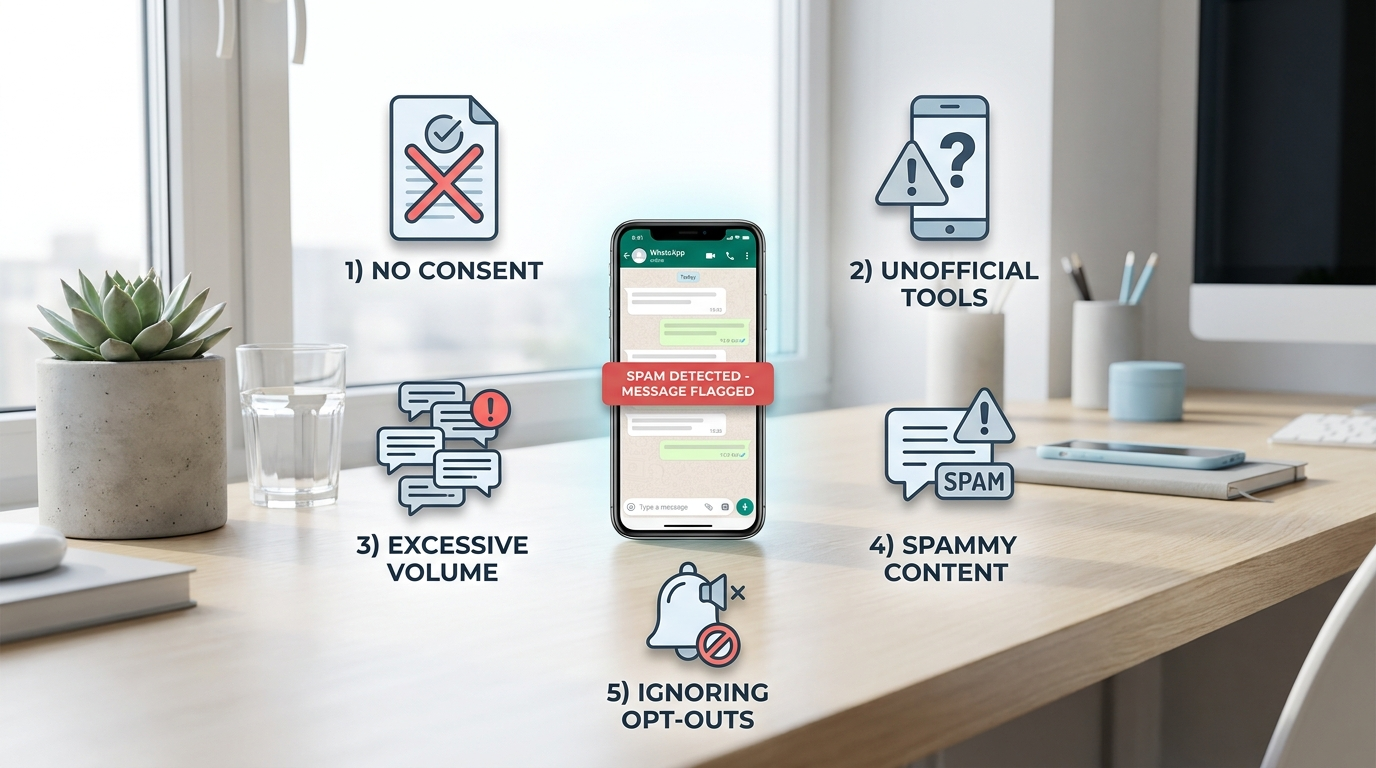
WhatsApp operates like a strict but fair friend who expects you to respect the rules at their gatherings. It was designed for personal conversations, not mass marketing blasts. When you send thousands of unsolicited messages at once, WhatsApp takes action to block you. Here are the main reasons bulk WhatsApp messages get flagged as spam:
- No explicit consent: Messaging people who never agreed to receive your messages is like showing up uninvited. It’s not acceptable.
- Unofficial tools: Using suspicious apps that claim to send bulk WhatsApp messages often triggers WhatsApp’s detection system leading to an immediate block.
- Excessive volume: Sending messages to thousands in a single go appears spammy and can result in a swift ban.
- Spammy content: Messages with aggressive sales pitches cause recipients to block or report you.
- Ignoring opt-outs: Continuing to message users who said "No thanks" guarantees your number will be flagged.
The consequence is a suspended WhatsApp business account, lost leads, and damaged reputation—an outcome every business wants to avoid.
The Legal Landscape for Malaysian SMEs: PDPA and WhatsApp Policies
Understanding the legal context is crucial. Malaysia’s Personal Data Protection Act (PDPA) requires businesses to get explicit and informed consent before sending bulk WhatsApp messages for marketing purposes. Simply having a phone number from previous transactions does not provide sufficient permission.
WhatsApp enforces strict policies as well. Bulk messaging is only permitted through official WhatsApp Business API accounts linked to licensed Business Solution Providers. Using unauthorized apps results in immediate suspension.
To comply:
- Always secure clear WhatsApp opt-in consent from your contacts.
- Use official WhatsApp Business API tools or the native Business app for very small volumes.
- Send outbound messages outside the 24-hour customer service window only via Meta-approved message templates.
- Include a straightforward opt-out option in every message.
How to Avoid Spam Flags When Sending Bulk WhatsApp Messages
1. Use Official WhatsApp Business API Tools Only
Avoid third-party bulk messaging software that isn’t officially approved. WhatsApp detects and bans these quickly. NinjaBot, built on the official WhatsApp Business API, offers safe and compliant bulk WhatsApp message sending with approved templates, CRM tools to manage opt-ins and opt-outs, plus extra channels like Facebook Messenger and Instagram messaging.
2. Obtain and Maintain Explicit Opt-In Consent
Consent is both polite and legally required. Ensure every contact agrees to receive your bulk WhatsApp messages. Gather consent through:
- Checkout forms with clear WhatsApp marketing opt-in checkboxes.
- Website sign-ups clearly describing what users are subscribing to.
- QR codes linking to subscription confirmation pages.
- In-store sign-up sheets designed for clarity.
Always record when, where, and how you obtained consent.
3. Cleanse, Segment, and Warm Up Your Contact List
Segment your audience for relevance and compliance:
- Start with recent or engaged customers.
- Remove duplicates, invalid numbers, and those who opted out.
- Group contacts by interests, past purchases, or location.
- Start small and gradually increase your message volume.
- Schedule messages over time to avoid overwhelming recipients.
4. Use Meta-Approved Message Templates for Bulk Broadcasts
WhatsApp requires the use of approved templates when messaging outside the 24-hour window to prevent spam-like messages. Your templates should:
- Clearly state the purpose of the message.
- Include personal touches like the customer’s name.
- Feature a single clear call-to-action.
- Be concise—under 200 words.
- Provide easy opt-out instructions like “Reply STOP anytime.”
5. Respect Message Frequency and Timing
Avoid bombarding recipients. Best practices include:
- Limit marketing broadcasts to once or twice a month per audience segment.
- Allow more frequent messages for transactional updates.
- Send messages during optimal times such as mid-morning or early evening.
- Honor opt-out requests immediately.
6. Monitor Quality Metrics and Feedback
Keep an eye on your message performance:
- If block or spam reports exceed 0.5 to 2%, pause and reassess.
- Encourage recipient replies to boost engagement.
- Adjust your messaging strategy based on feedback.
- Use NinjaBot’s dashboard and BSP tools for easy tracking.
7. Recovering from a Restriction or Ban
If your number is restricted:
- Immediately cease all bulk WhatsApp messages.
- Remove low-engagement or suspicious contacts.
- Focus on personal and transactional messages to rebuild trust.
- Appeal with clear evidence of consent and policy adherence.
- Switch to approved automation tools like NinjaBot for compliance.
How NinjaBot Helps Malaysian SMEs Send Bulk WhatsApp Messages Compliantly
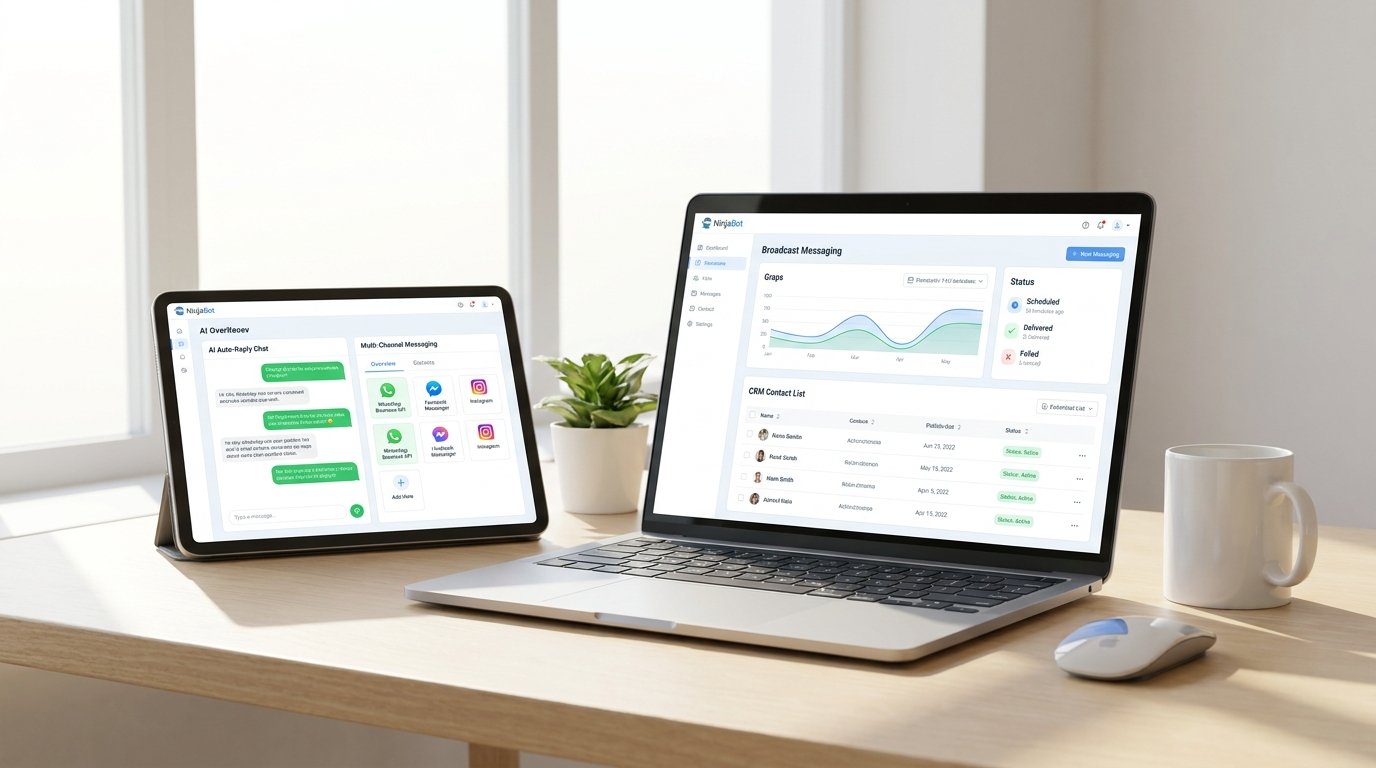
NinjaBot is a comprehensive WhatsApp business automation platform tailored for Malaysian SMEs. It ensures compliance and boosts efficiency by:
- Integrating with the official WhatsApp Business API for legitimate messaging.
- Employing AI-powered auto replies and lead qualification.
- Managing CRM functions including opt-ins, tagging, and opt-outs.
- Scheduling and moderating bulk broadcasts using Meta-approved templates.
- Supporting multi-channel messaging on WhatsApp, Facebook Messenger, and Instagram.
- Offering team inbox features to handle customer queries promptly.
- Including payment links within chats to streamline sales.
With NinjaBot, bulk WhatsApp messaging becomes a secure, growth-driven strategy rather than a risky gamble.
Conclusion: Bulk WhatsApp Messaging Done Right
In summary, sending bulk WhatsApp messages can be highly effective if done correctly:
- Use official WhatsApp Business API tools.
- Maintain accurate records of explicit opt-in consent.
- Employ only Meta-approved message templates for outreach.
- Carefully segment and clean your contact lists.
- Respect opt-outs and send messages at appropriate times.
- Track performance and continuously refine your approach.
For Malaysian SMEs aiming to elevate their WhatsApp marketing while avoiding bans, NinjaBot offers the ideal solution. Embrace bulk WhatsApp messaging safely and watch your business soar.