Why WhatsApp Sometimes Blocks Business Accounts in Malaysia (And What Most Owners Get Wrong)
Why WhatsApp Sometimes Blocks Business Accounts in Malaysia (And What Most Owners Get Wrong)
Have you ever had your WhatsApp business account blocked and wondered, "I didn’t even say anything wrong!"? In reality, WhatsApp enforces strict policies, especially for businesses using the platform in Malaysia. Many Malaysian business owners face account blocks repeatedly because they might be unintentionally violating WhatsApp’s guidelines.
WhatsApp has clear rules that act like firm guardians, and when these are breached, your account can be restricted. Losing access means losing valuable customer connections. In this article, we explore why WhatsApp business accounts get blocked in Malaysia, common misconceptions, and how savvy SMEs can maintain seamless communication without risk.
Understanding Why WhatsApp Blocks Business Accounts in Malaysia
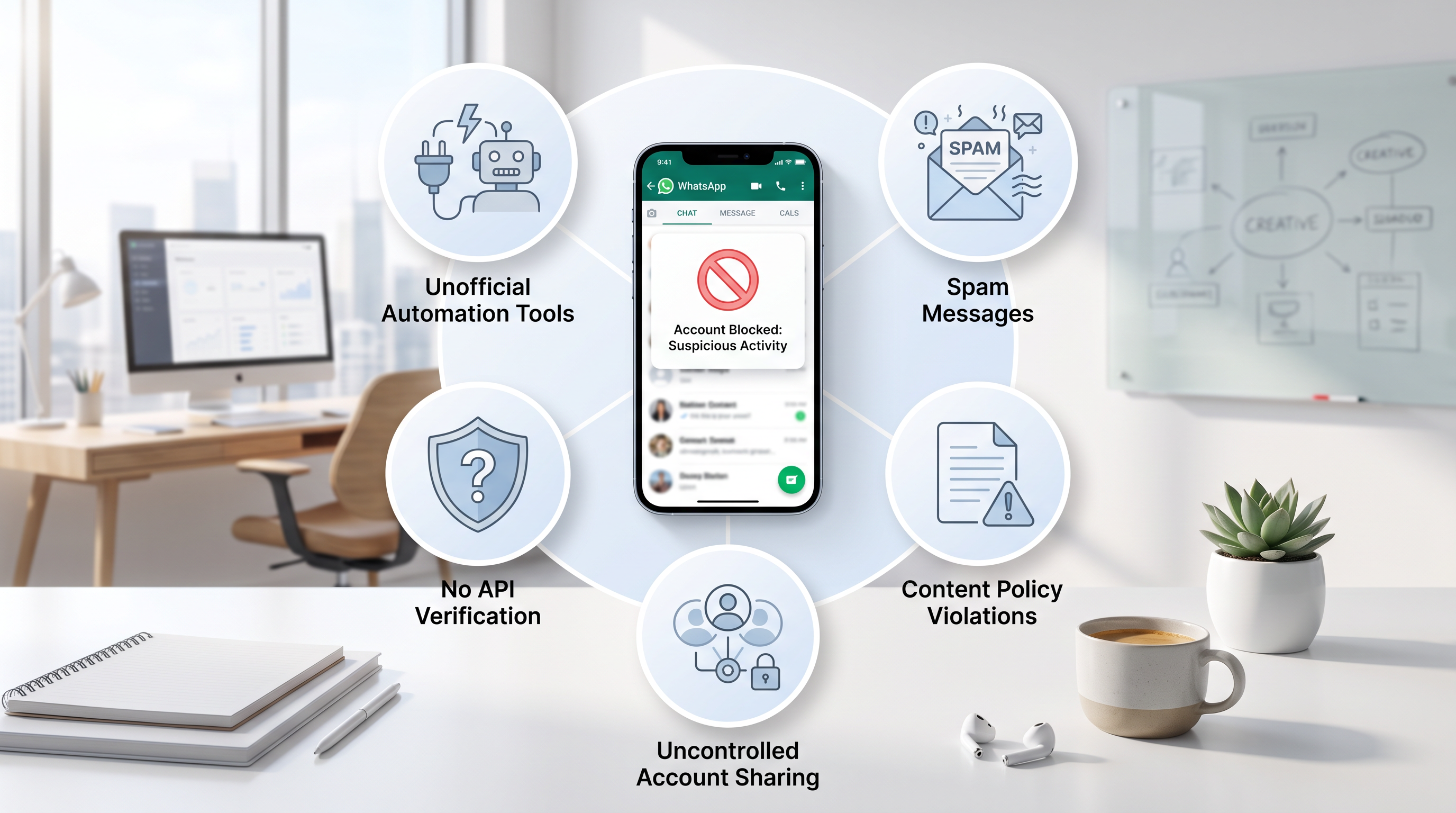
Think of WhatsApp as a vigilant gatekeeper, ensuring only trustworthy communication flows through. Its primary role is to keep spam and misuse at bay. When the system detects suspicious activity, it acts quickly to block accounts. Here are the main reasons business accounts get blocked:
1. Using Unofficial or Non-API Automation Tools
There are many unofficial apps and bots that claim to send bulk messages faster than official tools. However, the WhatsApp Business API is the only authorized method for automation. Using any unofficial software is like trying to sneak into a restricted area; WhatsApp’s system recognizes this and blocks the account to preserve platform integrity.
2. Sending Frequent Unsolicited or Spammy Messages
Customers dislike receiving mass unsolicited advertising. Excessive messaging without explicit consent can lead to complaints and spam reports, prompting WhatsApp to restrict your account to protect users from marketing overload.
3. Account Setup Without Proper WhatsApp Business API Verification
Running business communications on a personal WhatsApp number or bypassing official verification processes is risky. Without proper onboarding through the WhatsApp Business API, accounts are more likely to be flagged and blocked.
4. Violating Message Template and Content Policies
WhatsApp requires businesses to use pre-approved message templates for notifications or promotions. Sending messages that contain inappropriate language or misleading information violates these rules and results in account suspension.
5. Multiple Concurrent Logins or Uncontrolled Account Sharing
Sharing your WhatsApp business account across numerous devices without proper management can trigger security alarms. The system detects unusual login patterns and may block your account to prevent unauthorized access or misuse.
Common Misunderstandings Among Malaysian Business Owners About WhatsApp Blocks
Misunderstanding 1: "My Account Was Blocked for No Reason"
WhatsApp does not block accounts arbitrarily. There is always a reason behind each block, often related to message content, frequency, or login behavior. Instead of blaming the platform, it’s important to review your usage and compliance.
Misunderstanding 2: "Any Automation Will Lead to a Ban"
Automation is not the problem; it’s the misuse of automation without following WhatsApp’s guidelines. Proper automation implemented via the official WhatsApp Business API enhances customer service and keeps your account secure.
Misunderstanding 3: "Using a Personal WhatsApp Number for Business Messaging is Fine"
While possible, using a personal number for business, especially for bulk messaging, often leads to complaints and restrictions. Personal accounts are not designed for business scale communication or compliance.
Misunderstanding 4: "WhatsApp Automation Is Only for Large Companies"
Many solutions tailored for Malaysian SMEs leverage the WhatsApp Business API effectively, allowing small and medium businesses to engage customers without breaching rules.
How to Avoid Blocks and Maintain Your WhatsApp Business Account in Malaysia
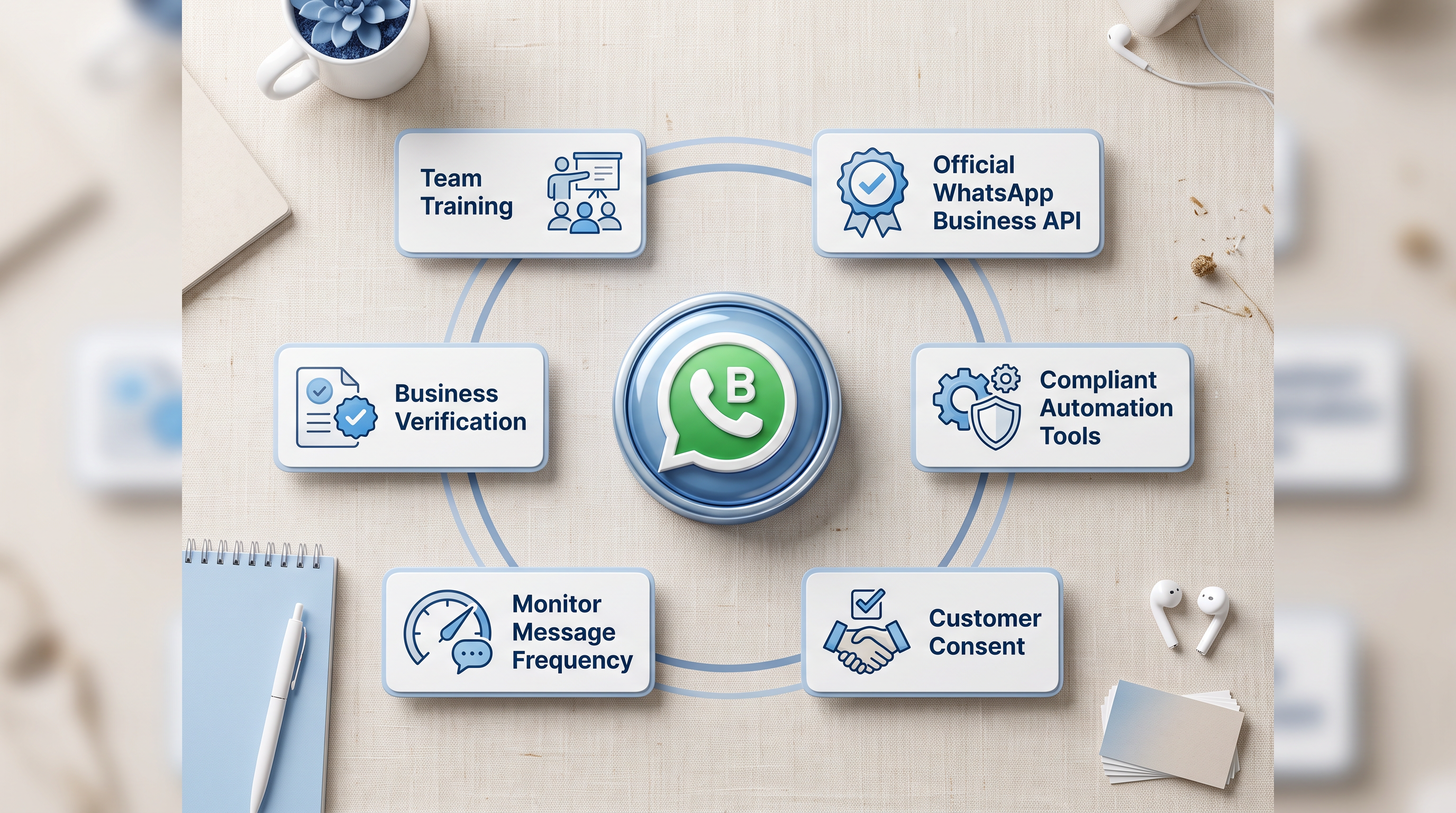
Adopt the Official WhatsApp Business API
- Verified business profiles that build customer trust swiftly
- Pre-approved message templates that comply with WhatsApp policies
- Centralized control over team messaging to avoid conflicts
- Integration with CRM and multi-channel communication for professional customer handling
Use Automation Tools Compliant with WhatsApp Policies
Avoid unreliable bots claiming bulk messaging magic. Choose tools integrated with WhatsApp Business API, such as NinjaBot, which offer AI-powered features like auto-replies, lead management, and CRM support while adhering to WhatsApp regulations.
Obtain Clear Customer Consent for Messaging
Ensure that customers explicitly opt in to receive messages. Transparent and trackable consent reduces spam reports and keeps your account in good standing.
Monitor Messaging Patterns and Avoid Spam
Respect your customers’ inbox by limiting message frequency, personalizing content, and using broadcast features judiciously to maintain engagement without annoyance.
Ensure Full Business Verification
Complete the official onboarding process to verify your business. Verified accounts not only boost credibility but also significantly reduce the risk of blocks.
Train Your Team on WhatsApp Best Practices
Implement clear roles and responsibilities for team members managing WhatsApp communication. Use team inbox tools to coordinate messages effectively and securely.
Steps to Take If Your WhatsApp Business Account Gets Blocked
- Check WhatsApp Business Manager for notifications or action requests
- Submit an appeal politely through official WhatsApp channels
- Audit and improve your messaging practices to comply with policies
- Transition to the official WhatsApp Business API for safer operations
Conclusion: Building a Reliable WhatsApp Presence for Malaysian SMEs
Account blocks on WhatsApp are rarely accidental; they are often the result of non-compliance with platform rules. Malaysian SMEs can thrive by embracing official tools, securing clear customer consent, and following messaging best practices.
Choosing trusted platforms like NinjaBot ensures you harness the power of WhatsApp Business API Malaysia effectively, converting conversations into business opportunities while maintaining account security.
Remember, WhatsApp is your customer communication megaphone, not a pathway to being blocked. Use it wisely, and your business can chat confidently towards growth without interruptions.