WhatsApp Business API in Malaysia: Why Getting Approved Is Harder Than You Think

Applying for the WhatsApp Business API in Malaysia can feel like trying to enter an exclusive circle with a gatekeeper who has a checklist longer than your festive shopping list. Many SMEs believe it will be a simple process, but in reality, it turns into a complicated journey filled with strict requirements and detailed validations imposed by Meta. Ignoring any step or underestimating the approval process often results in your application remaining stuck in a pending status indefinitely.
So why does obtaining that coveted green approval check mark feel like an epic mission? Let’s explore the reasons behind the challenges and see the common pitfalls encountered along the way.
Why WhatsApp Business API Approval Is Difficult for Malaysian SMEs
If you think setting up a WhatsApp Business account is as easy as downloading an app and clicking through, think again. The WhatsApp Business API demands following strict Meta guidelines that prevent a simple do-it-yourself approach.
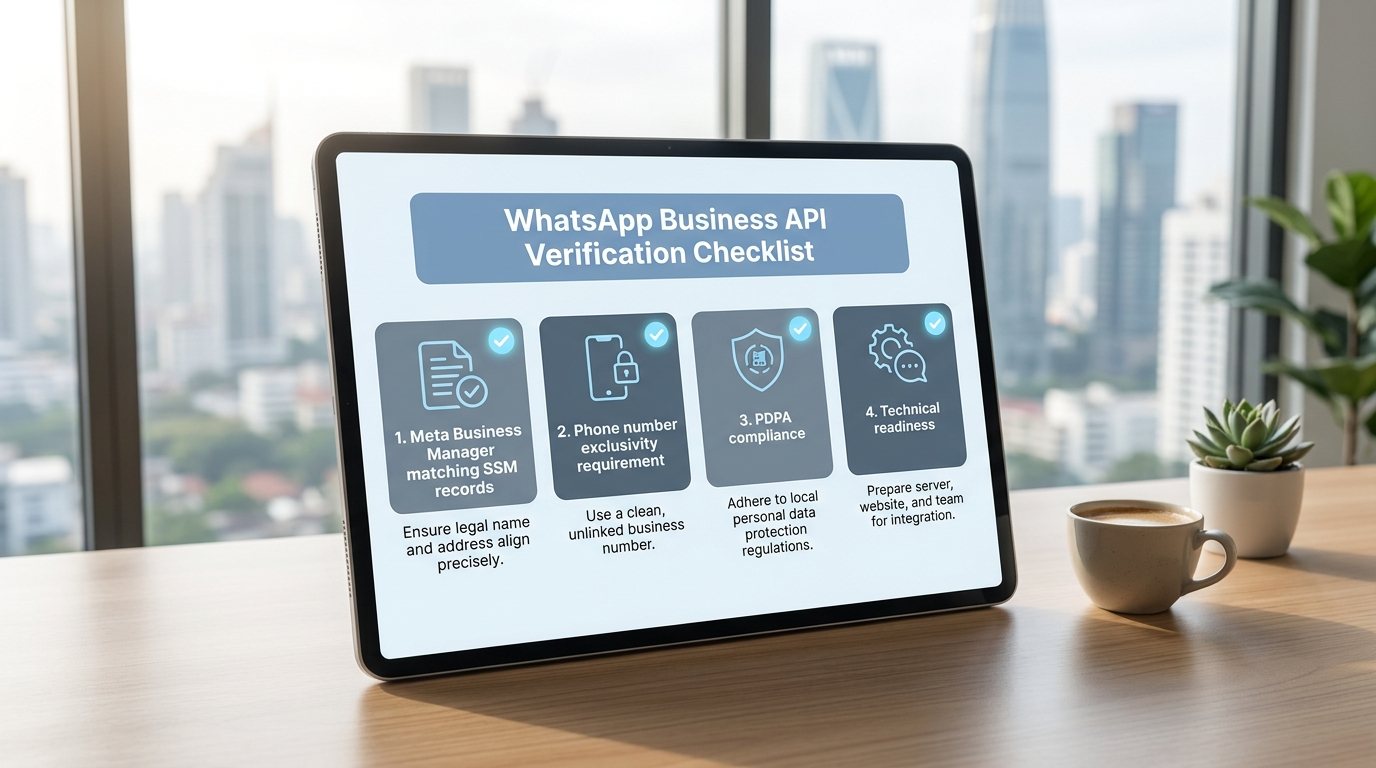
Malaysian SMEs must navigate multiple verification stages:
- Your Meta Business Manager details need to perfectly match your official SSM records, including every capital letter, abbreviation, and comma.
- Business documents must be recent and complete – think fresh as nasi lemak for breakfast.
- The phone number designated for the WhatsApp API must be uniquely assigned and cannot be used for other WhatsApp accounts.
- Understanding Malaysia’s PDPA laws is essential since WhatsApp enforces data privacy rigorously; failure here means losing approval chances.
- Technical readiness to manage integrations, chatbots, and related setups is a must.
Many Malaysian businesses stumble because they assume the process is simply to apply and wait. In truth, it requires administrative accuracy, legal awareness, and technical capability.
Bottom line? Preparation is key to avoid unnecessary delays.
Common Mistakes Made Before Applying
1. Mismatched or Incomplete Business Verification Documents
One of the fastest routes to rejection is having discrepancies between your Meta Business Manager name and your SSM certificate. Meta is very particular about details such as capitalization, punctuation, and entity type.
Also, your company website should clearly represent your business; generic URLs or vague "About Us" pages can erode trust.
2. Using Ineligible or Improper Phone Numbers
Using a personal WhatsApp number for the API is not acceptable. The number must be dedicated, free from previous WhatsApp accounts, and ready to receive verification from Meta.
Attempting to use long-standing customer service lines without proper preparation often leads to application denial.
3. Overlooking Opt-In and Messaging Compliance
WhatsApp strictly enforces opt-in rules. Sending messages without customer consent or purchasing contact lists can result in bans.
All message templates must be reviewed and approved by Meta before use, ensuring clear and professional communication.
4. Ignoring PDPA Compliance
Adhering to Malaysia’s Personal Data Protection Act is mandatory. Many SMEs unintentionally breach this by mishandling customer data, especially when working with third-party BSPs and CRMs that may not be PDPA compliant.
Non-compliance can cause serious legal issues along with approval problems.
5. Technical Setup Difficulties
Without proper technical skills or support, integrating WhatsApp API with CRM, chatbots, and customer service systems can be overwhelming.
Smooth integration is critical to ensure efficient customer engagement and business operations.
How to Boost Your Approval Odds
Ensure Your Business Documents Are Perfectly Aligned
Verify that your Meta Business Manager details match your SSM exactly. Submit clear, high-quality scans and keep your website professional and transparent.
Select a Competent Business Solution Provider (BSP)
Work with BSPs knowledgeable about PDPA, familiar with Malaysian market needs, and compatible with your existing systems. Prioritize quality over cost to avoid approval delays.
Use Exclusive, Verified Numbers for WhatsApp API
Assign a fresh phone number dedicated to your WhatsApp API account, free from prior WhatsApp usage, and capable of accepting Meta’s verification communications.
Implement Proper Opt-In Process and Message Templates
Only contact customers who have granted explicit consent. Prepare properly formatted, Meta-approved message templates to ensure compliance.
Incorporate PDPA Compliance from the Beginning
Guard your customer data carefully. Ensure all integrations and partners comply with PDPA. Maintain clear privacy policies and regularly audit your processes.
Invest in Technical Integration and Training
Use reliable automation platforms to simplify technical demands. Train your staff thoroughly on workflows, chatbot interactions, and customer service best practices.
Benefits of Using an All-In-One Automation Platform
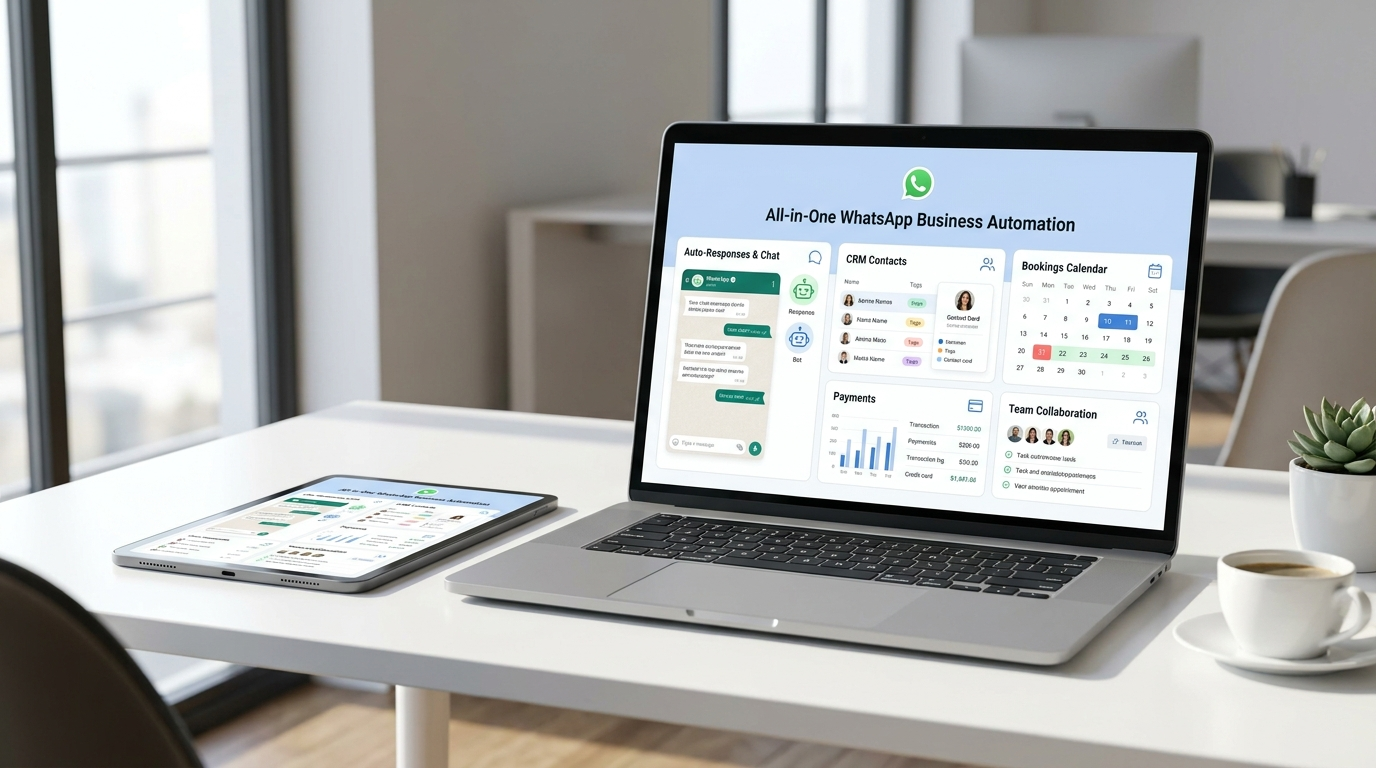
Managing WhatsApp API with disconnected applications is complex and inefficient. Platforms like NinjaBot unify auto-responses, CRM functions, bookings, payments, and team collaboration into one seamless system.
This cohesive setup reduces errors, speeds up replies, and minimizes approval issues, providing a better experience for both businesses and customers.
Conclusion
Getting approved for the WhatsApp Business API in Malaysia involves more than an online form. It requires attention to detail, legal compliance, trusted BSP partnerships, exclusive phone numbers, and solid technical execution.
With thorough preparation and the support of robust automation tools, this challenging process becomes a gateway to enhanced customer communication and business growth.
Prepare carefully and embrace the power of WhatsApp Business API Malaysia to elevate your SME’s success!